


Ughck, accidental horizontal scrollbar, amiright?
That can be a pain, but you can usually find the offending element by surfing around the ol’ DevTools and selecting elements until you find something that extends too far over to to the right (off-page to the left doesn’t tend to trigger a scrollbar the same way) and adjusting it.
Sometimes I use the “Delete Node” feature of DevTools to remove stuff from the page until the scrollbar goes away. Then I know which element caused it and can drill down from there. Here’s a super quick video of that kind of troubleshooting:
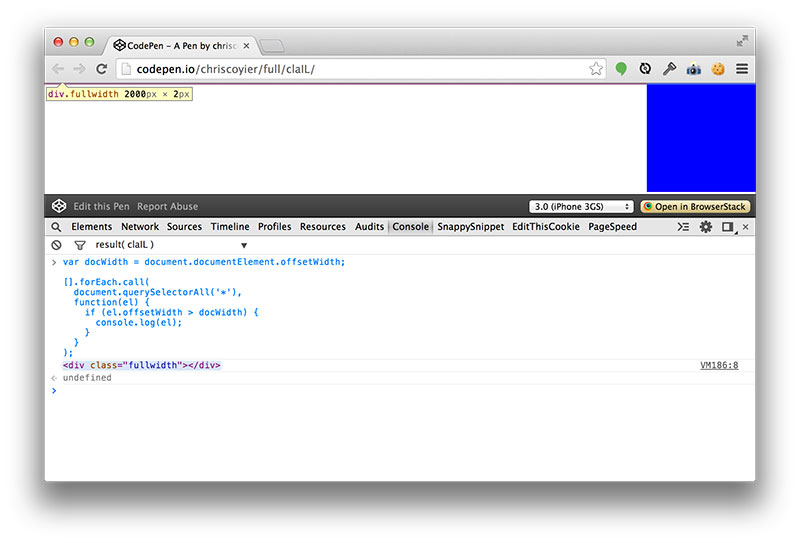
In some cases, there might be an element that is literally wider than the document is, which might cause horizontal overflow scrolling. You could use a little JavaScript to help you find the culprit.
var docWidth = document.documentElement.offsetWidth;

[].forEach.call(
  document.querySelectorAll('*'),
  function(el) {
    if (el.offsetWidth > docWidth) {
      console.log(el);
    }
  }
);
Which might find something like:
Another minor little trick that helps me sometimes is to scroll over so you can see offending overflow area, and then click and Inspect Element in that space to see if you can target the offending element.
Hidden Horizontal Overflow
Sometimes horizontal overflow is more elusive. Like when it doesn’t trigger a horizontal scrollbar, but you can still expose the overflow by swiping with a touchpad or select-and-dragging.
I’ve made a basic demo of that scenario, see this GIF:
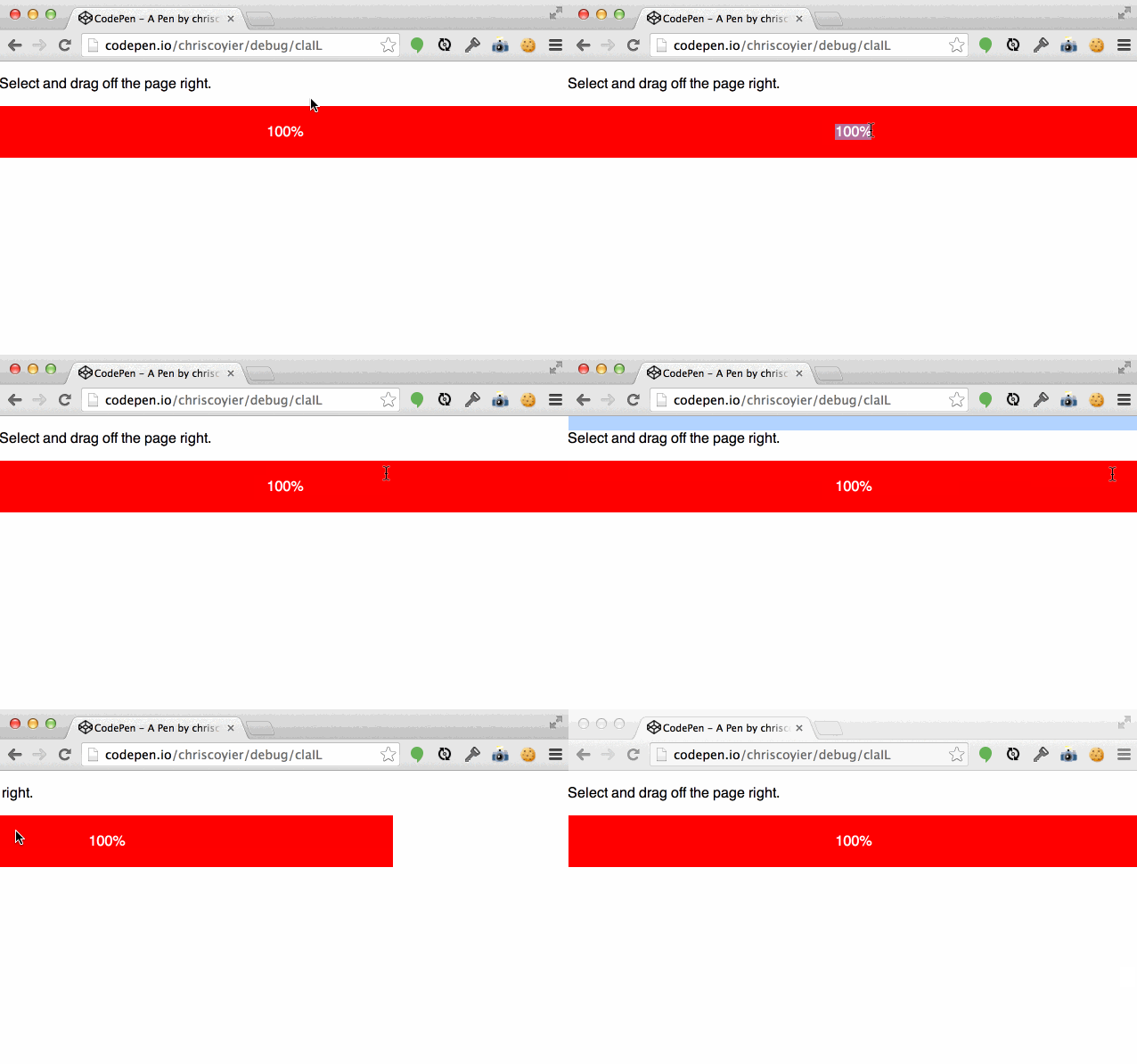
What’s going on there is that there is an element that is positioned there, offscreen, with opacity: 0; so you can’t see it. Normally that would trigger horizontal overflow and a horizontal scrollbar, but we’re explicitly hiding it:
body {
  overflow-x: hidden;
}
.hidden-thing {
  position: absolute;
  left: 100%;
  width: 50px;
  height: 50px;
  opacity: 0;
}
In most scenarios, when an element is hidden outside of the bounds of an element with hidden overflow, it’s just kinda lost to the visual world. But with the document itself, you can still force a scroll over there. Weird but true. It’s likely even a bug, since if you do overflow: hidden; rather than overflow-x: hidden; – it stops it. It’s just more common and practical to use overflow-x.
Note this is an issue in desktop Blink or WebKit based browsers. Not an issue in Gecko or anything mobile that I’ve seen.
Having hidden offscreen elements isn’t particularly rare. I think it’s getting more and more common with, you know, animations! transitions! 3D fancy! material design! transitional interfaces! I ran into this issue designing the search form on CodePen that kinda slides out when you click a thing. Simplified, that would be like this:
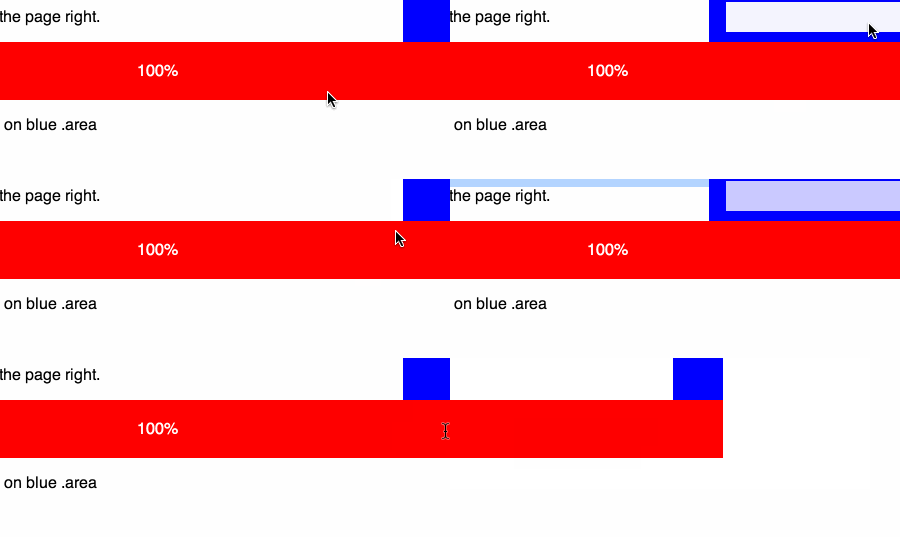
The solution, in this case, is to hide the overflow on a parent element, rather than relying on the hidden overflow on the body.
Finding/Fixing Unintended Body Overflow is a post from CSS-Tricks






















No Comments